


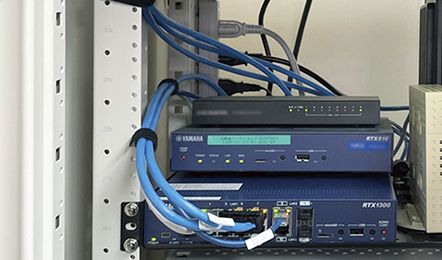

全ポートの状態一括表示

図 スイッチ3台冗長構成

SWX2200の各ポートの使用状況を確認する設定例です。
Luaスクリプトを使用してSWX2200のポート毎のリンクアップ、ダウンの状態を取得し、RTX1200のコンソールに出力します。
本設定例で使用するLuaスクリプトはリンクの状態を表示した後に自動的に終了するため、SWX2200のポートの使用状況の確認を行う度に実行する必要があります。
なお、Luaスクリプトを実行する際は、luaコマンドを使用しLuaスクリプトファイル名に続けて、SWX2200のMACアドレスまたはSWX2200までの接続ポートの経路情報を指定してください。

実行例:lua /swx2200_lua_status_ports_rtx1200.lua 00:a0:de:aa:bb:cc

LANの
インタフェースの設定
(LAN1ポートを使用)

ip lan1 address 192.168.100.1/24

DHCPの設定

dhcp service server
dhcp server rfc2131 compliant except remain-silent
dhcp scope 1 192.168.100.2-192.168.100.191/24

SWX2200の設定

switch control use lan1 on

スイッチの機種を取得する関数

function switch_model_read(sw)
  local rtn, str
  local cmd = "switch control function get model-name " .. sw
  rtn, str = rt.command(cmd)
  if (not rtn) or (not str) then
    str = string.format("failed to get model name : %s¥r¥n", sw)
  end
  return rtn, str
end

メインルーチン

local rtn, str, port_num, len
sw = arg[1]

-- 8G or 24G ?
rtn, str = switch_model_read(sw)
if (not rtn) or (not str) then
  if (str) then
    print(str)
  end
  return
end

if (string.find(str, "SWX2200-8G", 1, true)) then
  port_num = 8
elseif (string.find(str, "SWX2200-24G", 1, true)) then
  port_num = 24
else
  print(str)
  return
end

-- check the port status
for i = 1, port_num do
  local cmd = string.format("switch control function get status-port-speed "..
                   "%d %s", i, sw)
  rtn, str = rt.command(cmd)
  if (not rtn) or (not str) then
    return
  end
  len = string.len(str) - 2
  str = string.sub(str, 1, len)
  print("port " .. i .. " : " .. str)
end

ページトップへ戻るReturn to Top